

VEChat app icon

Packet Radio Reborn

Modern FX.25 packet chat for iPhone, iPad, and Mac

The Revival

In the 1980s and 90s, packet radio connected ham operators worldwide through a revolutionary digital network. BBSs, DX clusters, and real-time chat flourished over the airwaves.

Today, packet radio is more relevant than ever. In an age of fragile infrastructure and internet dependency, amateur radio offers something unique: truly decentralized communication.

We don't need high bandwidth for good-looking, efficient communication and entertainment. Most of the work happens on your device, with minimal network traffic required.

🌐 No internet needed
Works off-grid
🆘 Emergency ready

Features

📱

Software TNC

Use your phone as a TNC — just connect an audio cable to your radio. No extra hardware needed.

🔗

KISS TNC

Mobilinkd Bluetooth TNC support plus Direwolf network connectivity for desktop setups.

🛡️

Error Correction

FX.25 Reed-Solomon encoding with 16-byte error correction and bit-flip recovery.

📻

HF Ready

300 baud mode for HF bands — reach stations thousands of miles away.

📦

Payload Compression

Zlib compression shrinks your messages before transmission — send more data in fewer packets over the air.

💬

Modern Chat

Direct messages with delivery confirmation, group conversations, and global broadcast.

See It In Action

iPhone

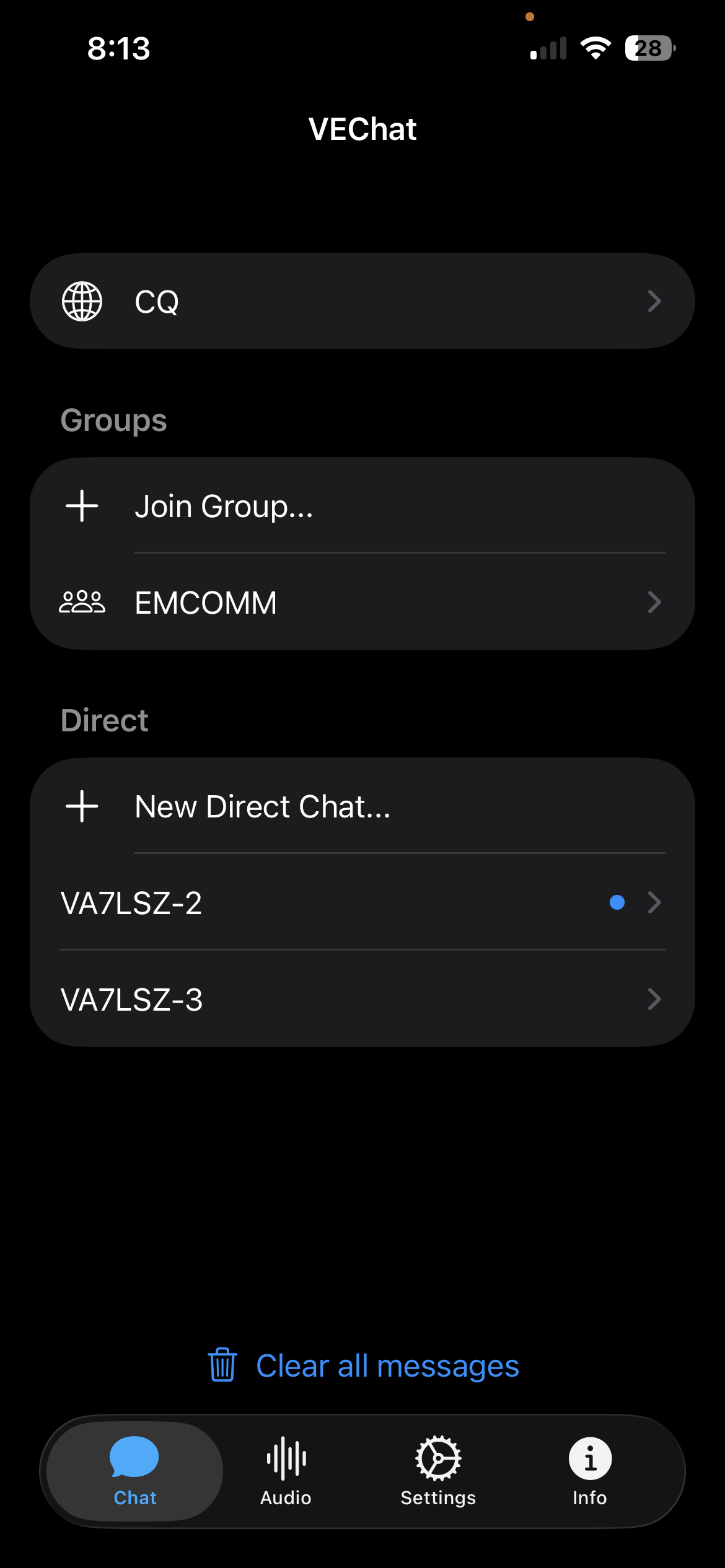
VEChat main screen showing groups and direct messages
Groups and direct messaging
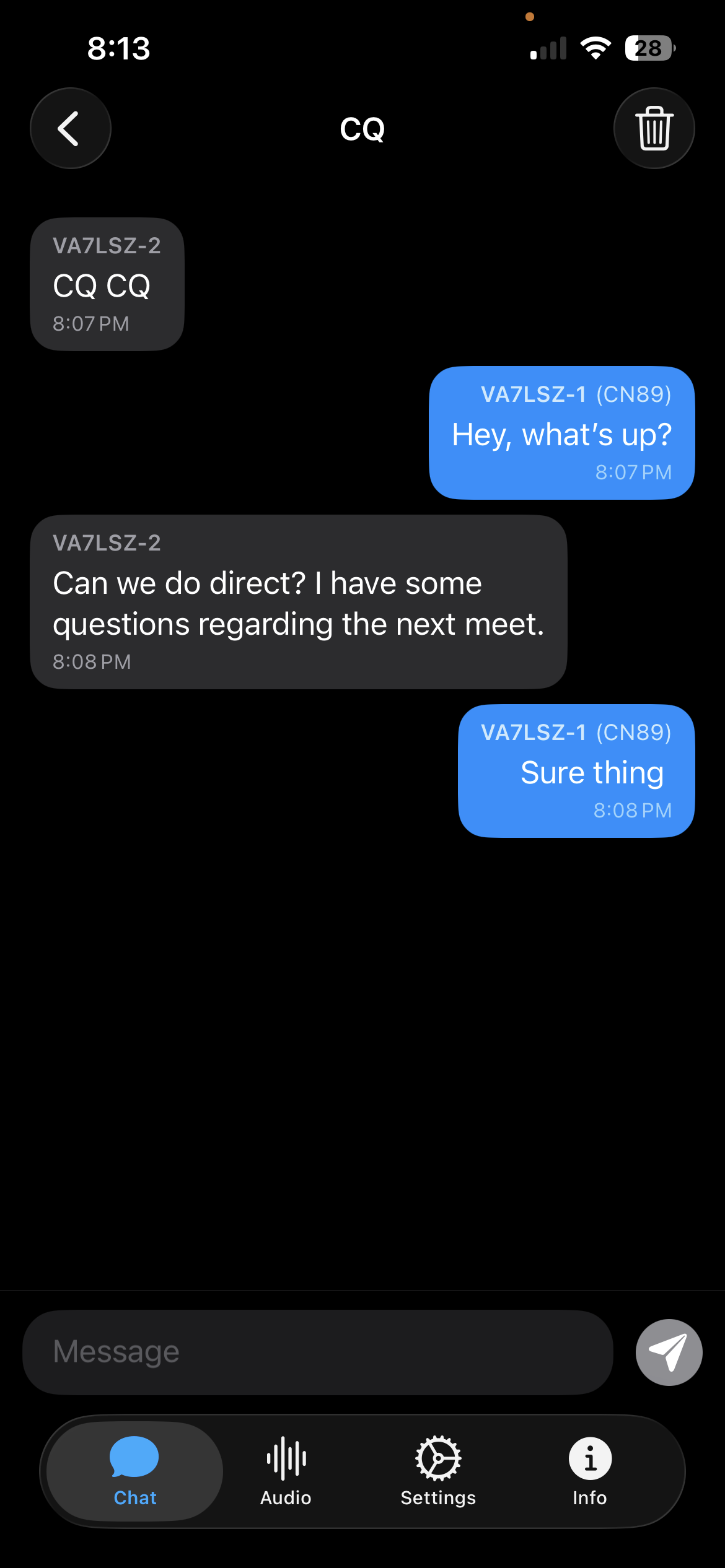
VEChat CQ global broadcast conversation
Global broadcast (CQ)
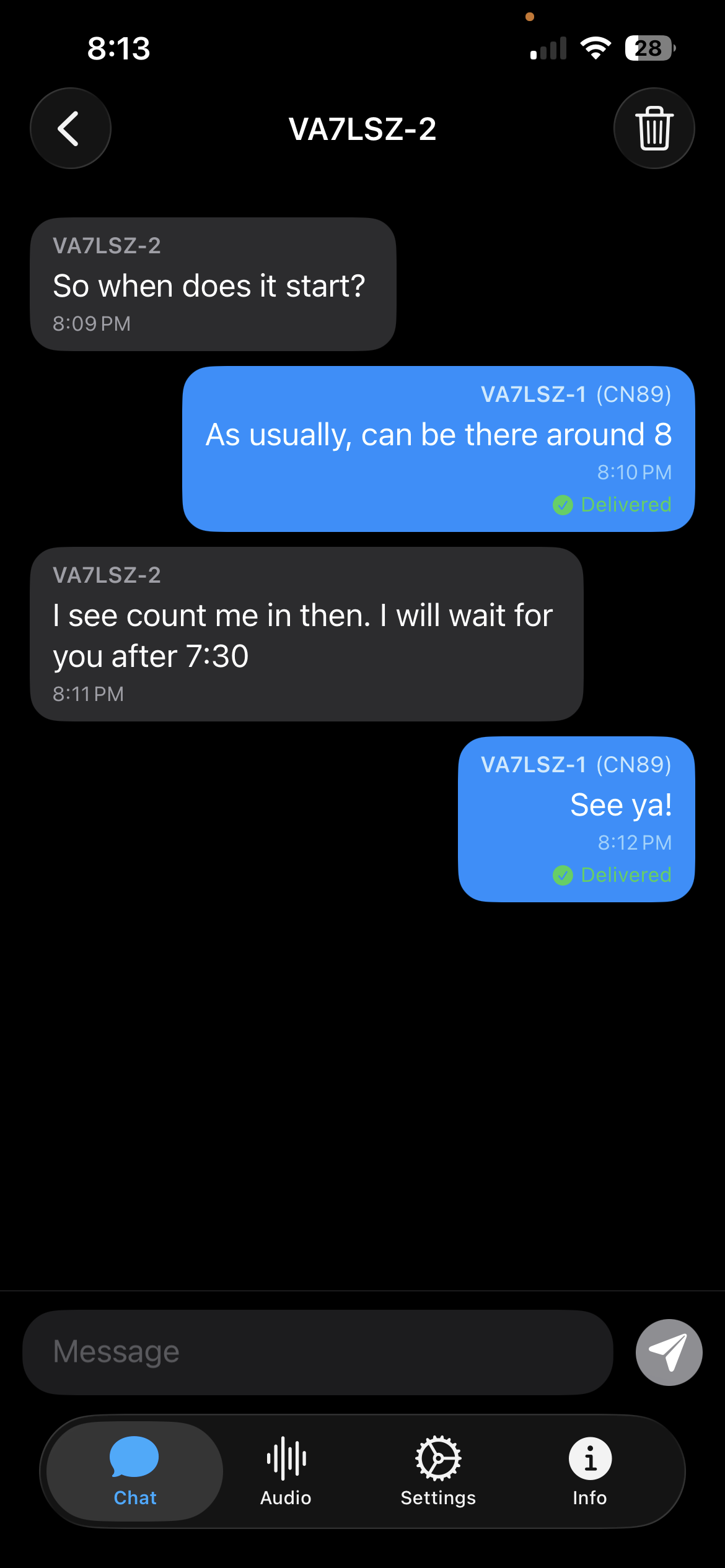
VEChat direct message with delivery confirmation
Delivery confirmation
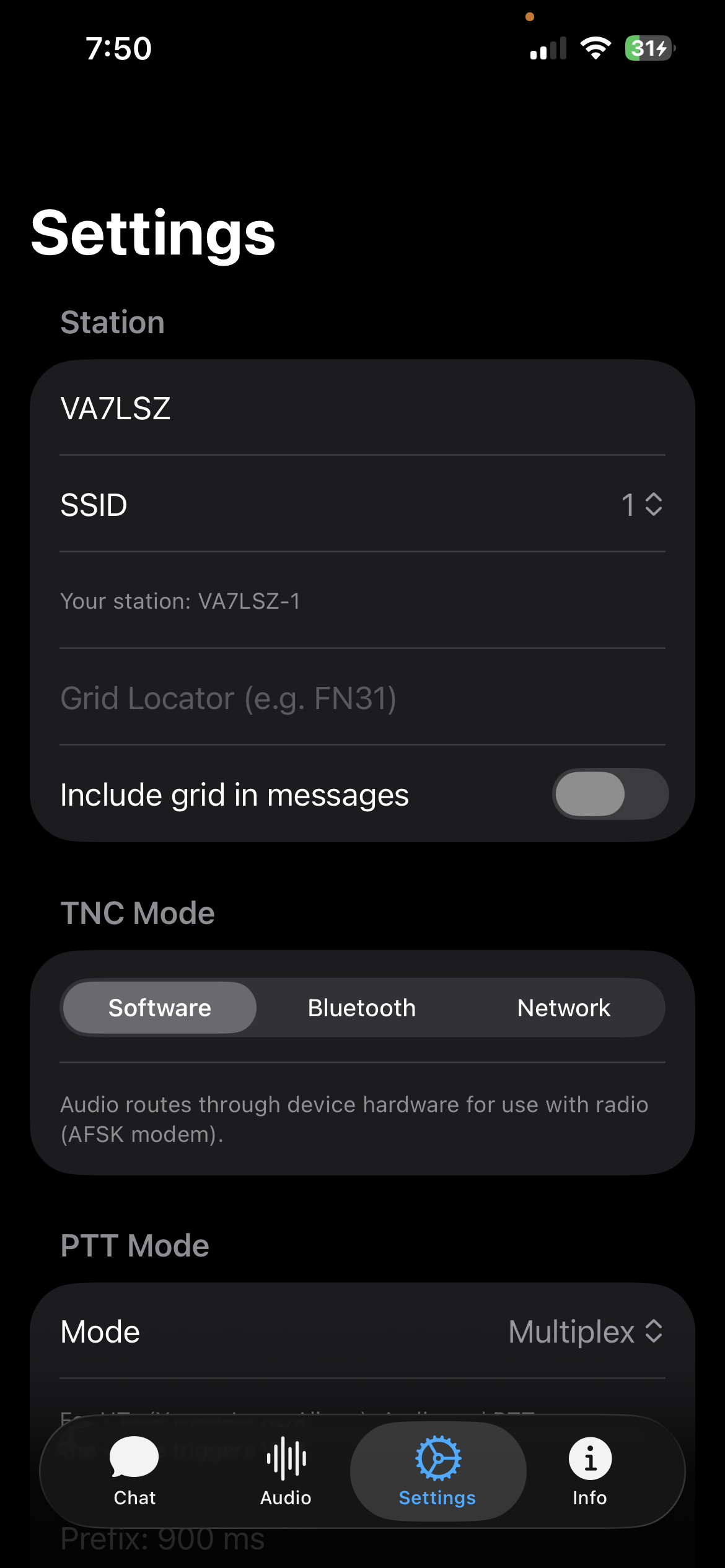
VEChat settings showing TNC mode options
Multiple TNC modes
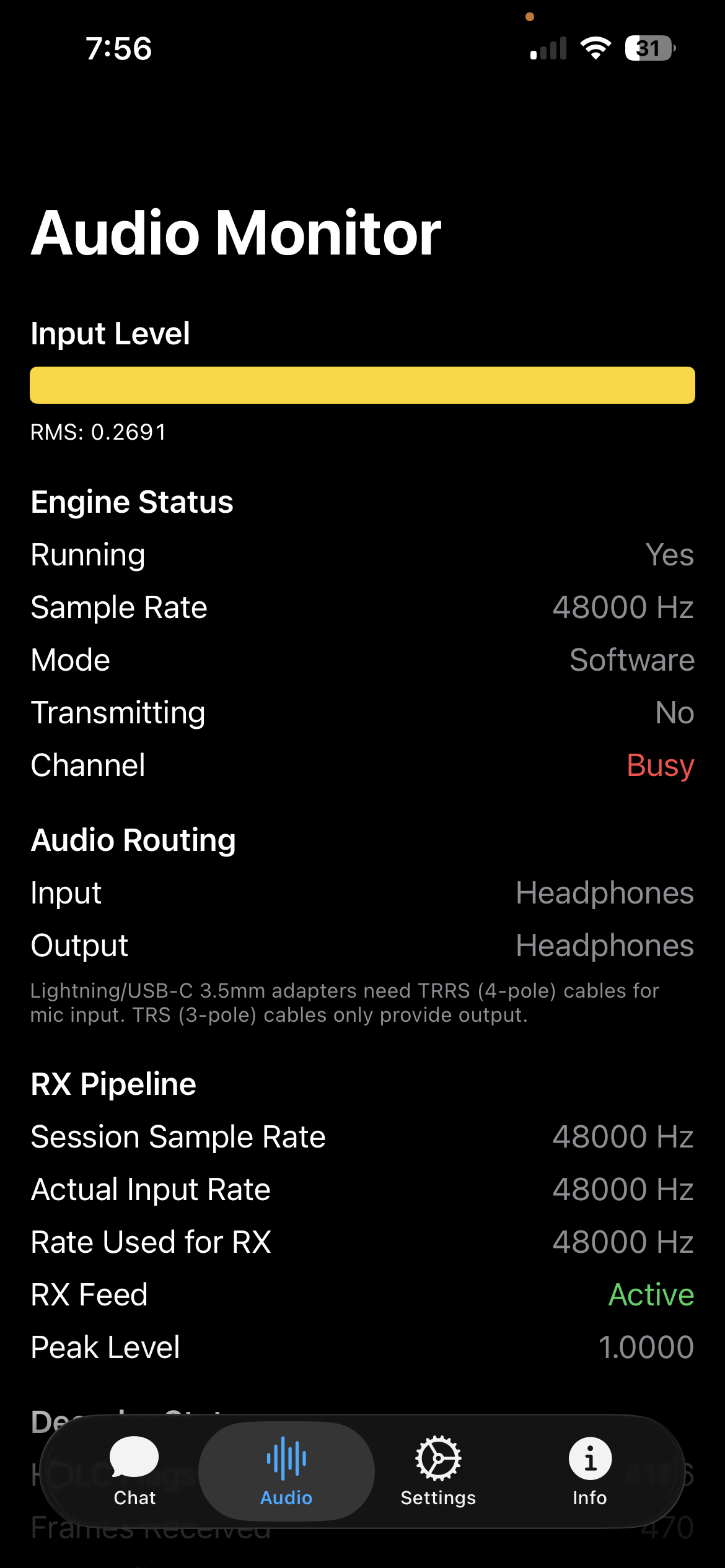
VEChat audio monitor showing channel activity
Channel monitoring
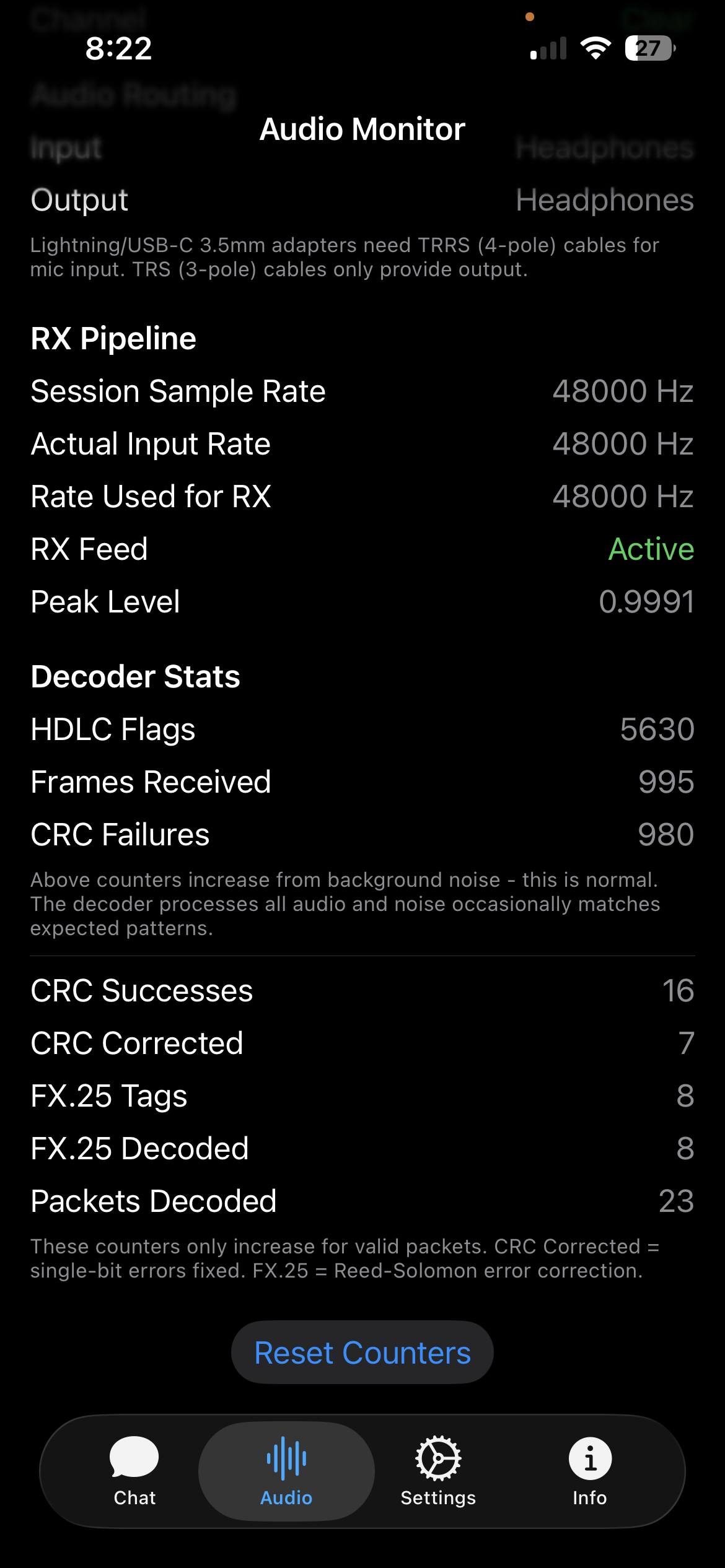
VEChat showing FX.25 error correction stats
FX.25 error correction

macOS

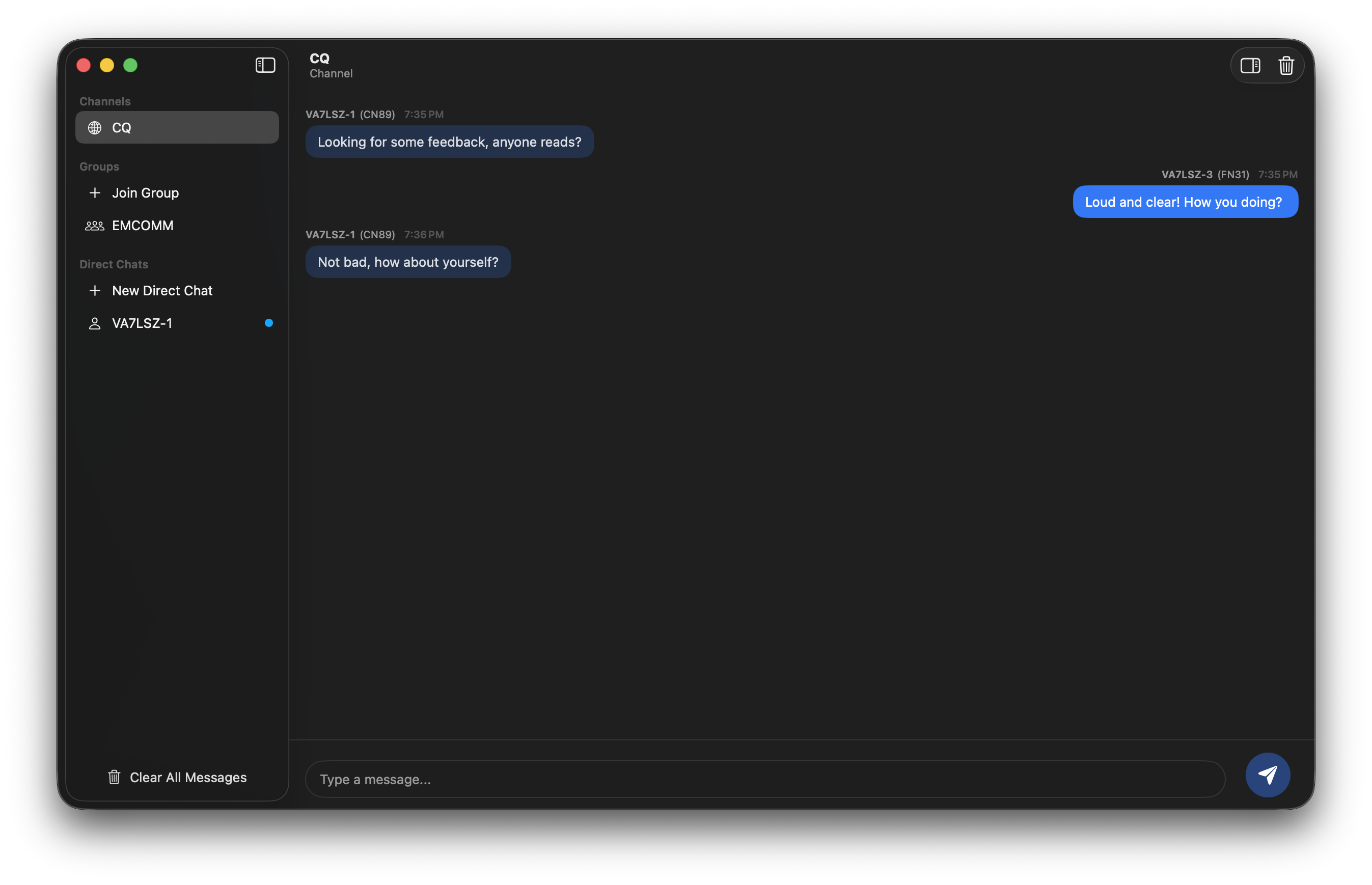
VEChat macOS CQ broadcast chat
CQ broadcast
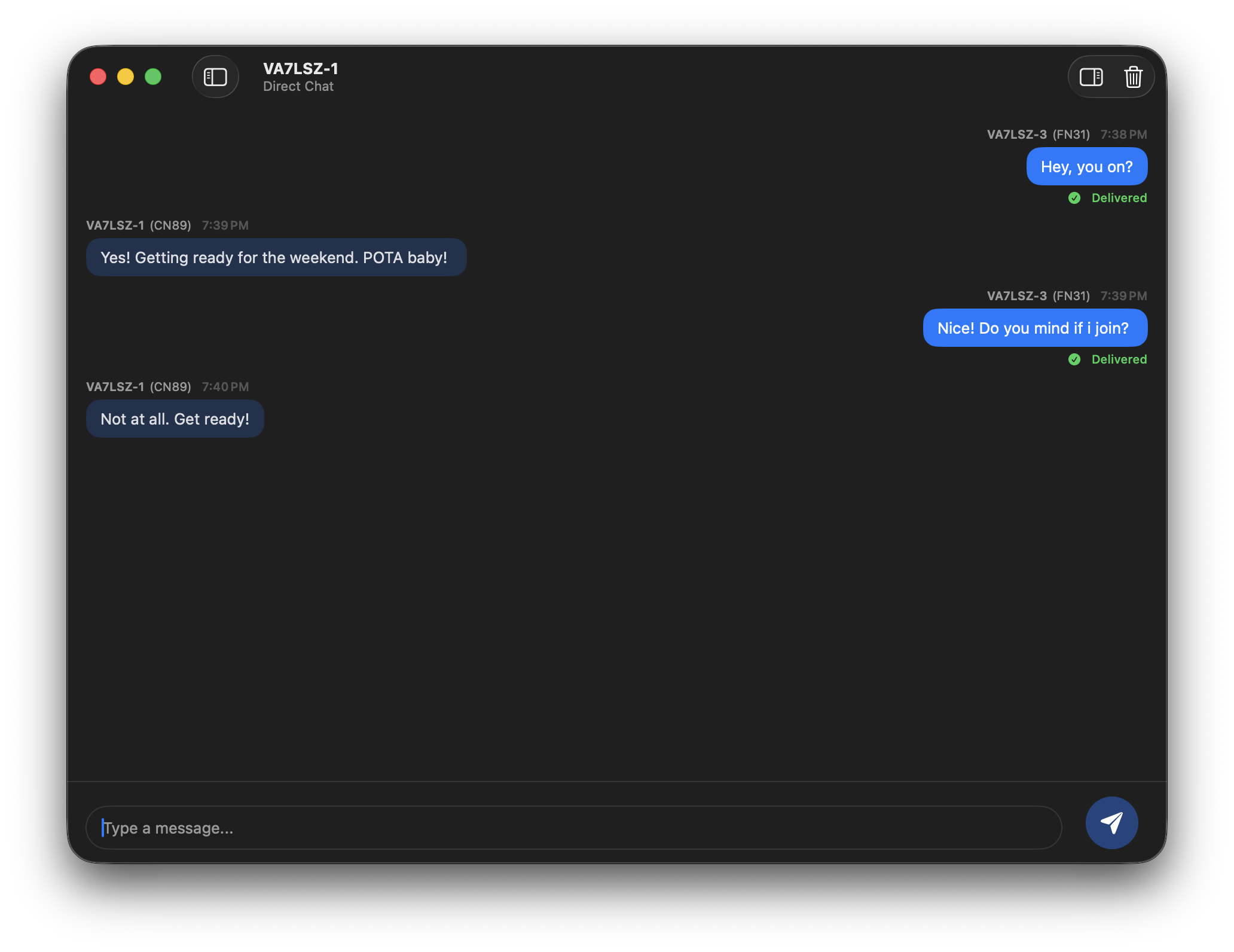
VEChat macOS direct chat with delivery confirmation
Direct chat with delivery confirmation
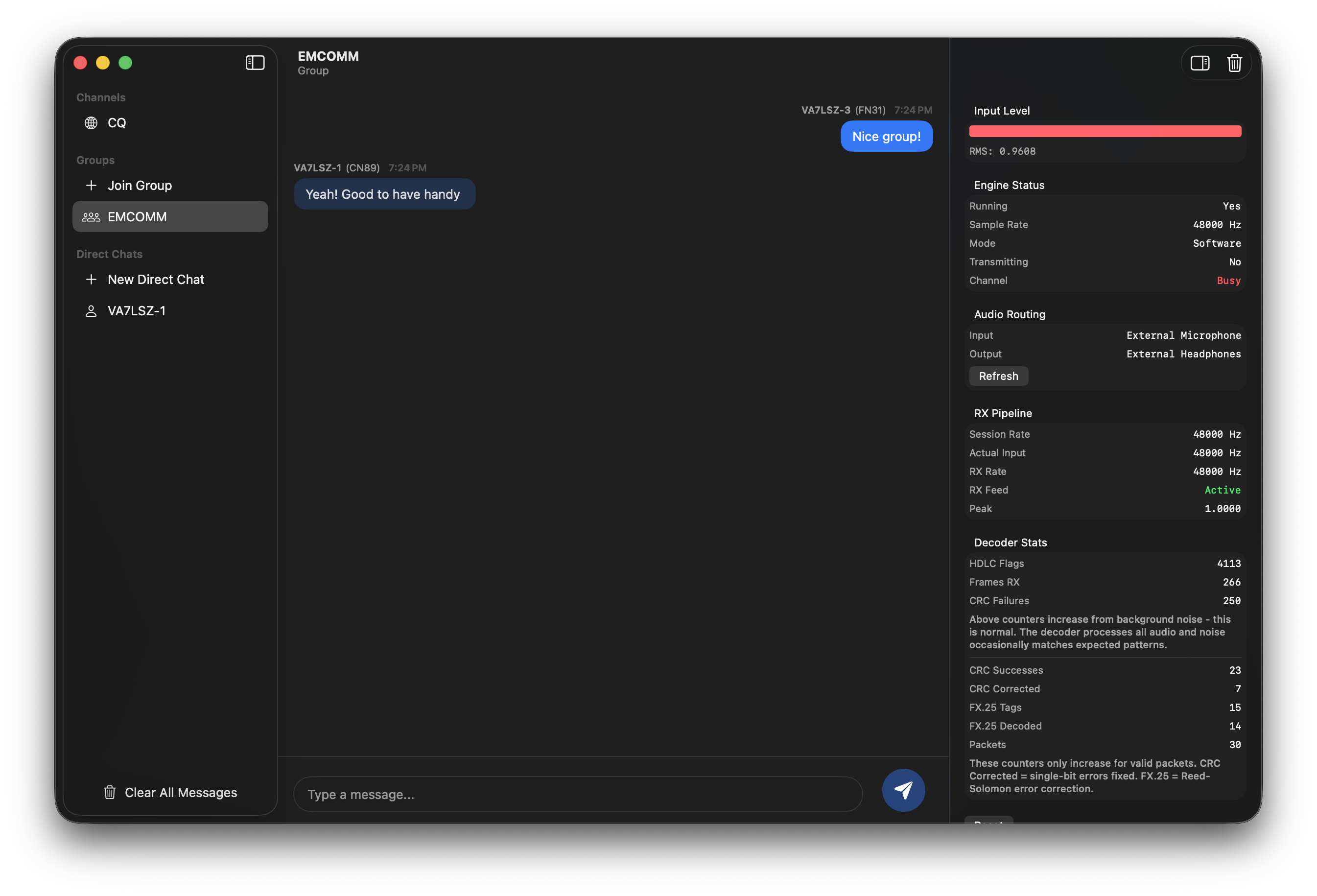
VEChat macOS group chat with audio monitor
Group chat with audio monitor
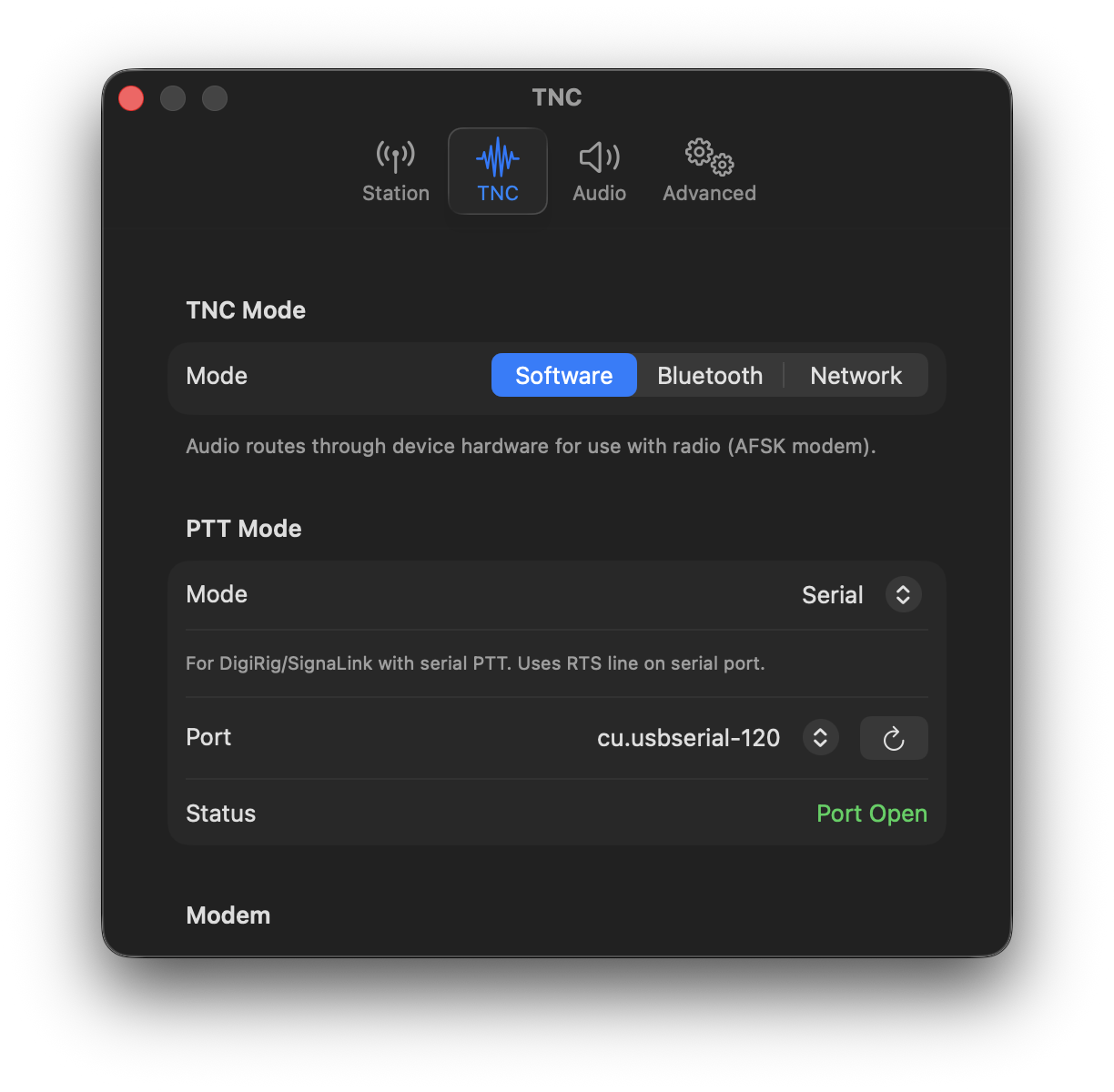
VEChat macOS serial PTT settings for Digirig
Serial PTT for Digirig

How It Works

📱
Your Device
🔌
Audio Cable
📻
Your Radio
〰️
RF Waves
👥
Others

Three Ways to Connect

Software TNC

VEChat processes audio directly. Use a simple audio cable, or a Digirig for clean audio with automatic PTT control.

Bluetooth TNC

Use a Mobilinkd TNC3 or TNC4 for wireless connection to your radio. Clean audio, no cables to your device.

Network TNC

Connect to Direwolf or other KISS TCP servers on your network. Ideal for home station setups.

Technical Specifications

Protocol AX.25 v2.0 compliant
VHF/UHF Speed 1200 baud AFSK
HF Speed 300 baud FSK
Error Correction FX.25 Reed-Solomon (16 bytes)
Compression Zlib
Supports TNCs KISS protocol
Platforms iOS/iPadOS 17+, macOS 14+

Download Protocol Reference (PDF)

Suggested Frequencies

2m 145.070 MHz FM
80m 3.587 MHz USB
40m 7.065 MHz USB
30m 10.143 MHz USB
20m 14.093 MHz USB

VHF: 1200 baud AFSK FM · HF: 300 baud AFSK USB

Getting Started

What You Need

  • iPhone, iPad, or Mac running iOS/iPadOS 17+ or macOS 14+
  • A ham radio (VHF/UHF HT or mobile, or HF transceiver)
  • Audio cable + Digirig (or vox cable) or Bluetooth TNC (Mobilinkd TNC3/TNC4) or Network TNC
  • Valid amateur radio license

Example Setups

Baofeng UV-5R

iOS macOS

The most popular entry-level HT. Pair it with an inexpensive APRS K1 audio cable and you're on the air.

  • TNC mode: Software
  • PTT mode: None (VOX)
  • Cable: APRS K1 audio cable
  • Radio VOX: Set to level 1 (Menu → VOX → 1)

PTT via cable is unreliable on this radio. Use VOX mode instead — level 1 is the most sensitive setting, triggering transmission quickly when audio is present.

Yaesu VX-6R

iOS macOS

Compact HT with excellent audio. Works with DigiRig or Mobilinkd TNC.

Option A: DigiRig (Software TNC)
iOS
  • Cable: DigiRig VOX PTT cable + DigiRig Yaesu VX-6R cable set
  • TNC mode: Software
  • PTT mode: Multiplex
  • The cable handles PTT — no need to enable VOX on the radio
  • Adjust TX gain in Settings for reliable transmission
macOS
  • Cable: DigiRig Mobile USB + DigiRig Yaesu VX-6R cable set
  • TNC mode: Software
  • PTT mode: Serial (RTS)
  • Select the DigiRig serial port in Settings
  • Adjust TX gain in Settings for reliable transmission
Option B: Mobilinkd TNC
  • Cable: Mobilinkd cable for Yaesu 1-pin (CT-44 compatible)
  • TNC mode: Bluetooth
  • Scan and connect to your Mobilinkd in Settings
  • Enable VOX on the VX-6R, or configure Mobilinkd's built-in PTT if your cable supports it
  • Timing parameters are configured automatically on connect

Yaesu FT-710 / FT-991A

macOS only

HF/VHF/UHF desktop transceivers with built-in USB audio and serial. Connect directly to your Mac — no additional interface needed.

  • Connection: USB cable to Mac (radio appears as USB audio device + serial port)
  • TNC mode: Software
  • PTT mode: Yaesu CAT
  • Audio: Select the radio's USB audio in Settings → Audio Devices (input and output)
  • CAT: Select your radio model and serial port, match baud rate to radio's CAT settings (default 38400)

VEChat sends CAT commands (TX1;/TX0;) over the serial port to key and unkey the radio. The radio's USB audio carries the AFSK signal.

Support VEChat

VEChat is built by a solo ham radio operator. Your donation helps fund continued development, hardware testing, and new features.

Thank you! Every contribution makes a difference.